Create One Portrait Across Three or More Generations
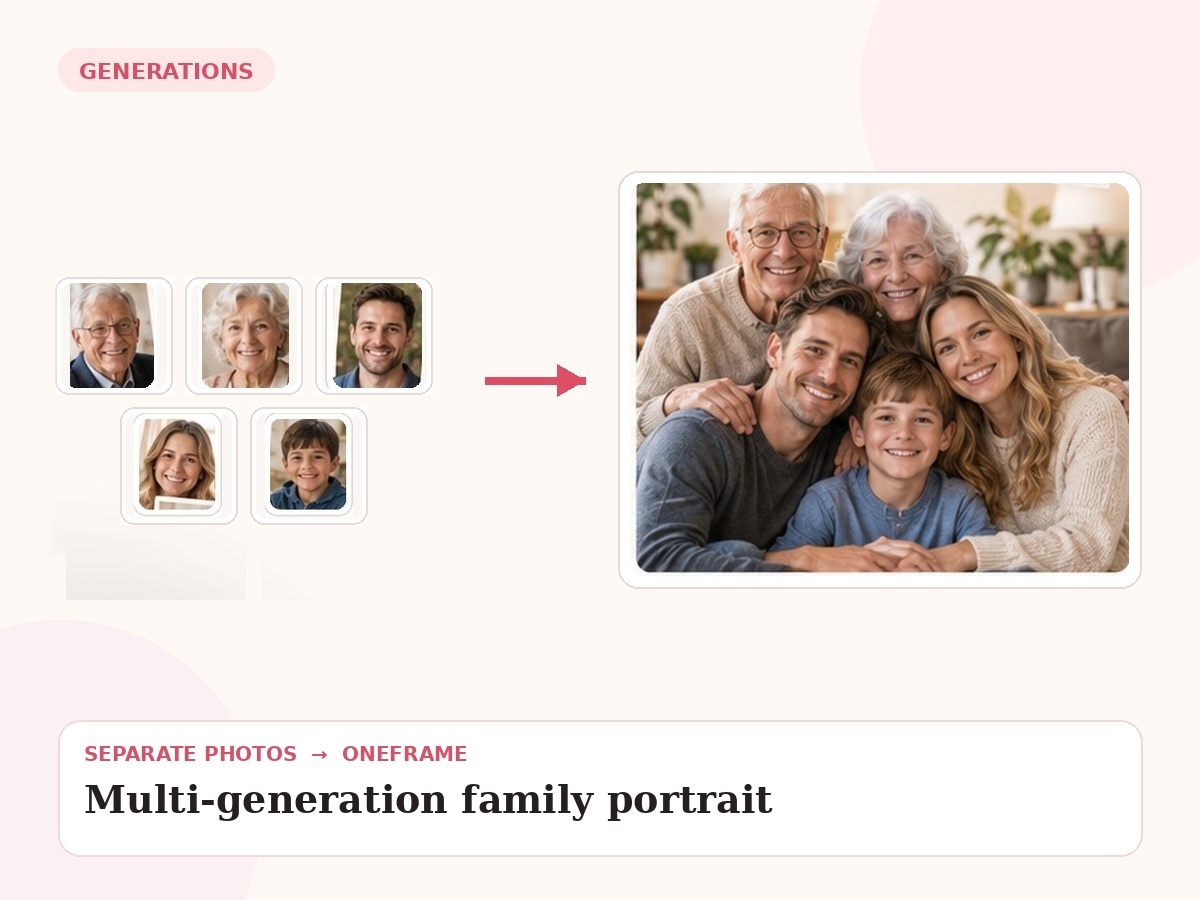
Bring grandparents, parents and children into one cohesive portrait—even when the generations were photographed at different times.
Why this use case matters
The challenge is visual hierarchy. Older generations, parents and children need to feel balanced, with believable relative scale and a composition that reads as one family rather than several merged groups.
People also search for related needs such as three generation family portrait, generational family portrait, grandparents parents children portrait. OneFrame keeps the workflow simple: the source photos can be separate, the final portrait is created as one cohesive image, and you review a watermarked preview before paying.
Three ways people use OneFrame for this
These examples are specific to this search intent—not generic filler copied across every page.
Three generations
Grandparents, parents and children in one classic family portrait.
Old and new references
Combine scanned family images with recent smartphone photos.
A lineage portrait
Create a keepsake that visually connects several generations of one family.
Designed to look like one moment, not a collage.
Large family / lineage intent. The final image is guided by your source photos and your instructions about relationships, setting, placement and mood.
How it works
Upload references
Add clear photos and label who is who.
Describe the moment
Tell us the scene, relationship, pose or detail that matters.
We create the portrait
Your separate references are composed into one new image.
Preview before paying
Review a watermarked preview; buy only if you want the final.
Photo tips for this use case
Label each generation clearly in the upload notes.
Tell us approximate height relationships when they matter.
Use the clearest available older scans.
Choose a simple setting when many people are included so the family remains the focus.
- 1 high-resolution portrait
- Up to 6 people or pets
- 2 revision rounds
- Digital delivery
Create a Multi-Generation Portrait
Choose any use case for inspiration, then use one shared creation page to upload 2–6 photos and describe the moment you want us to create.
Start my free preview →Frequently asked questions
Every answer is visible on the page so both visitors and search engines can understand the content without opening hidden panels.
How many generations can be included?
The practical limit depends on the number of people and source-photo quality; the standard flow supports up to six people or pets.
Can old black-and-white references be mixed with color photos?
Yes. The final portrait can use a consistent visual treatment.
What composition works best?
Seated and standing tiers usually work well for three-generation groups.
Can this be printed large?
A high-resolution approved portrait can work well for common wall-print formats.