Combine Separate Family Photos Into One Natural Portrait
Bring family members from different photos into one realistic portrait with consistent lighting, scale and composition.
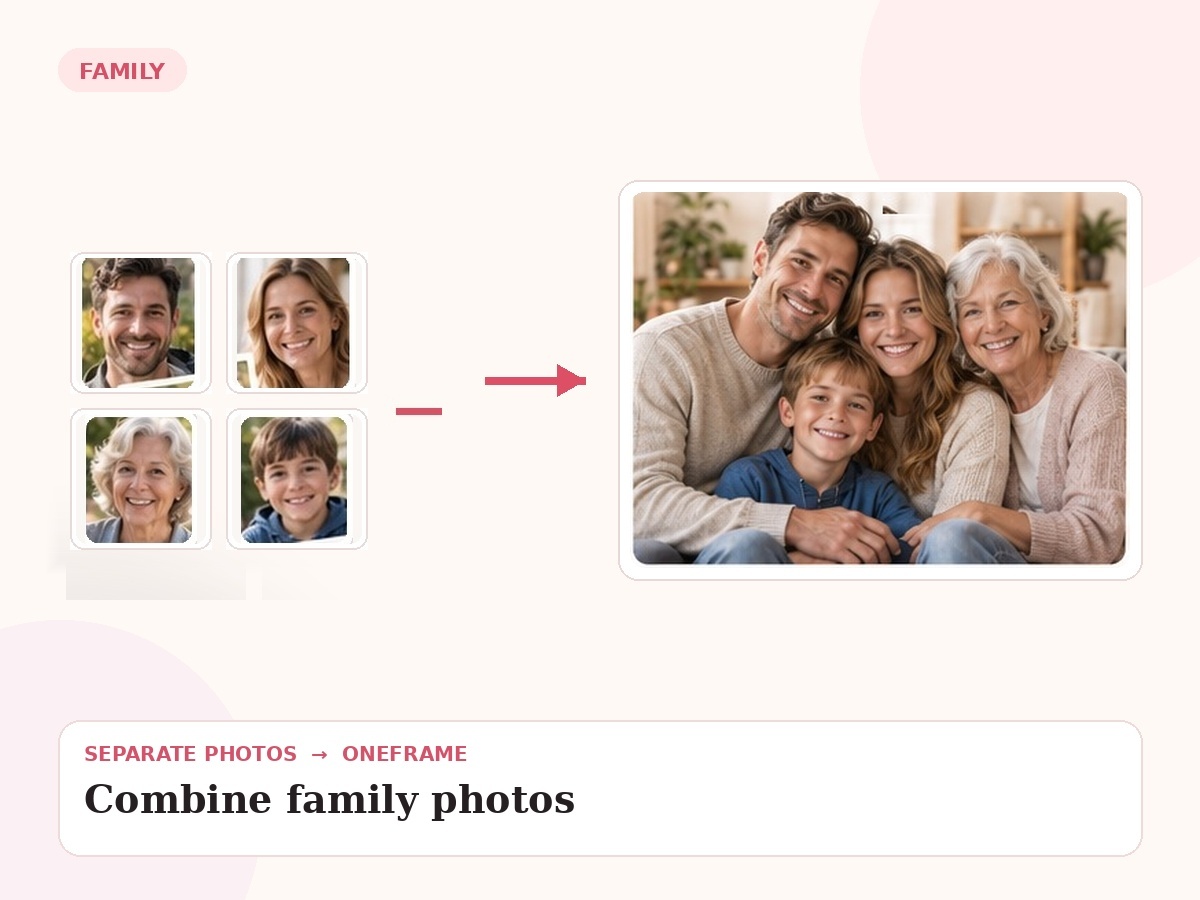
Why this use case matters
A convincing merge depends on more than placing people beside one another. Scale, eye line, light direction, skin tone, depth of field and body language all have to feel as if the family was photographed at the same time.
People also search for related needs such as merge family photos, combine separate photos into one portrait, family photo combiner. OneFrame keeps the workflow simple: the source photos can be separate, the final portrait is created as one cohesive image, and you review a watermarked preview before paying.
Three ways people use OneFrame for this
These examples are specific to this search intent—not generic filler copied across every page.
Different households
Parents, adult children and grandchildren can come from different household photos and still be composed into one balanced group.
One missing person
Start with a favorite family photo, then add the relative who was absent using a separate reference image.
Best photo of everyone
Use the strongest individual photo of each person instead of settling for the one group photo where somebody blinked.
Designed to look like one moment, not a collage.
User already knows they want multiple photos merged. The final image is guided by your source photos and your instructions about relationships, setting, placement and mood.
How it works
Upload references
Add clear photos and label who is who.
Describe the moment
Tell us the scene, relationship, pose or detail that matters.
We create the portrait
Your separate references are composed into one new image.
Preview before paying
Review a watermarked preview; buy only if you want the final.
Photo tips for this use case
Use clear faces with minimal motion blur.
Choose references taken at roughly similar ages when possible.
Tell us who should stand or sit beside whom.
Mention whether you want a casual home scene, studio portrait or outdoor setting.
- 1 high-resolution portrait
- Up to 6 people or pets
- 2 revision rounds
- Digital delivery
Combine My Family Photos
Choose any use case for inspiration, then use one shared creation page to upload 2–6 photos and describe the moment you want us to create.
Start my free preview →Frequently asked questions
Every answer is visible on the page so both visitors and search engines can understand the content without opening hidden panels.
Is this just a collage?
No. The goal is a newly generated, cohesive portrait with consistent lighting, scale and composition.
Can every person come from a different photo?
Yes. That is one of the main OneFrame use cases.
Can I use an existing family photo as the base?
Yes. Upload the base photo and the additional person or people you want included.
What makes the result look natural?
Clear references plus careful matching of pose, perspective, light and relative body size.